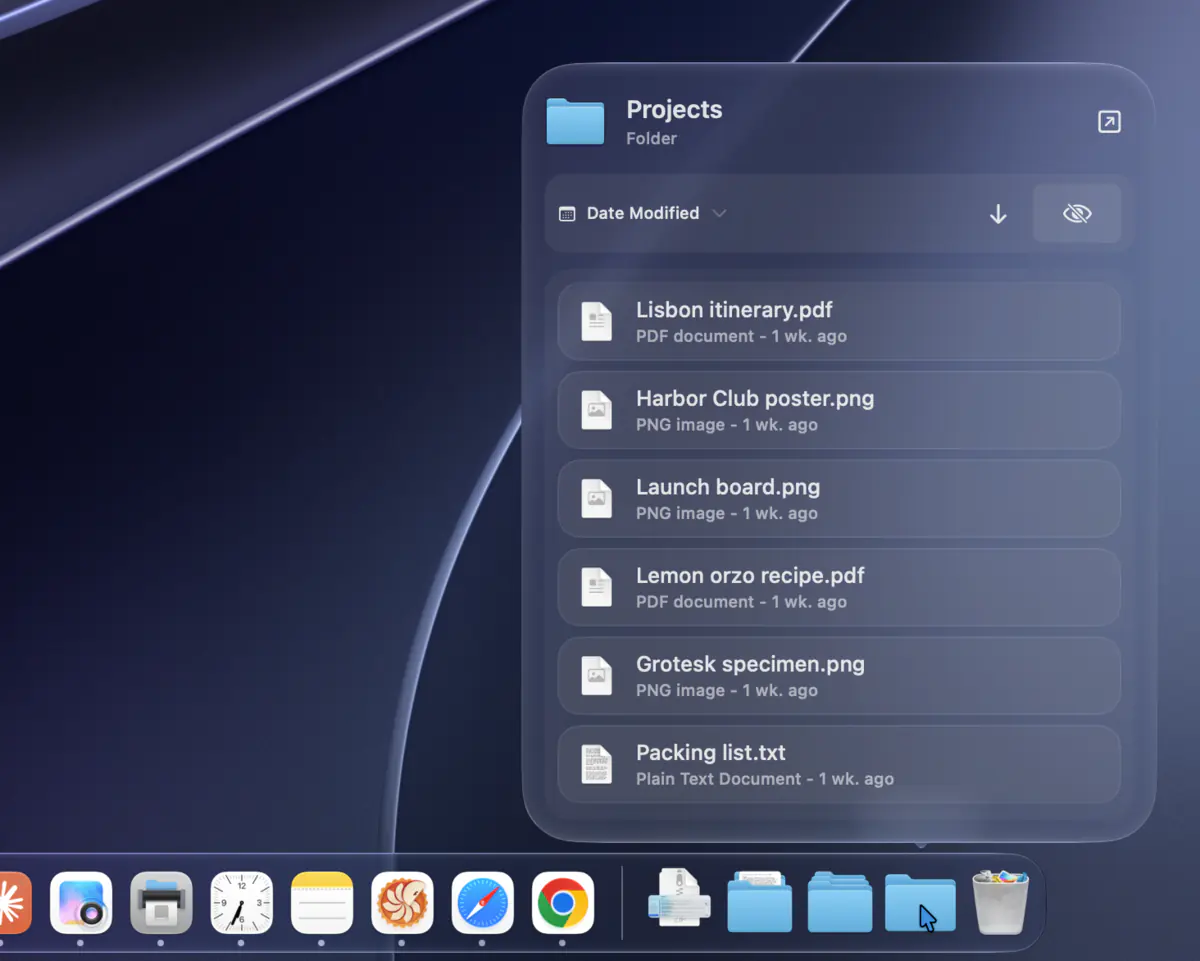
Folder Pop
Hover a folder in the Dock to see what's inside. Sort the list, open a file, or drag it straight into another app, without opening a Finder window.
Settings › Dock Previews
Point at any app in the Dock to see all of its open windows, like the taskbar on Windows. DockDoor also adds Alt+Tab window switching and keyboard controls, in Liquid Glass. Free, open source, and nothing leaves your Mac.
Free for macOS 13 Ventura and later, on Apple silicon and Intel.
Written up by
DockDoor Pro is a separate app from the same developer that replaces your Dock entirely.
 DockDoor You're here
Previews, Alt+Tab and keyboard controls for the built-in Dock. Free and open source, with no paywall, ever.
 DockDoor Pro Separate app
Give every display a different Dock, each set up its own way. Pro entirely replaces the native macOS Dock, adding window previews, profiles to easily switch the apps in your Dock, a huge library of widgets that sit right in your Dock, and ProMotion-smooth magnification.
Click a thumbnail to bring that window forward. The buttons on each preview, or a middle-click, act on that window without leaving the app you're in.
Windows on other desktops and displays show up too, including minimized and hidden ones.
Show windows as thumbnails, a compact list of titles, or large previews. The list can turn on by itself when an app has lots of windows.
Buttons on each preview close or minimize every window of that app at once.
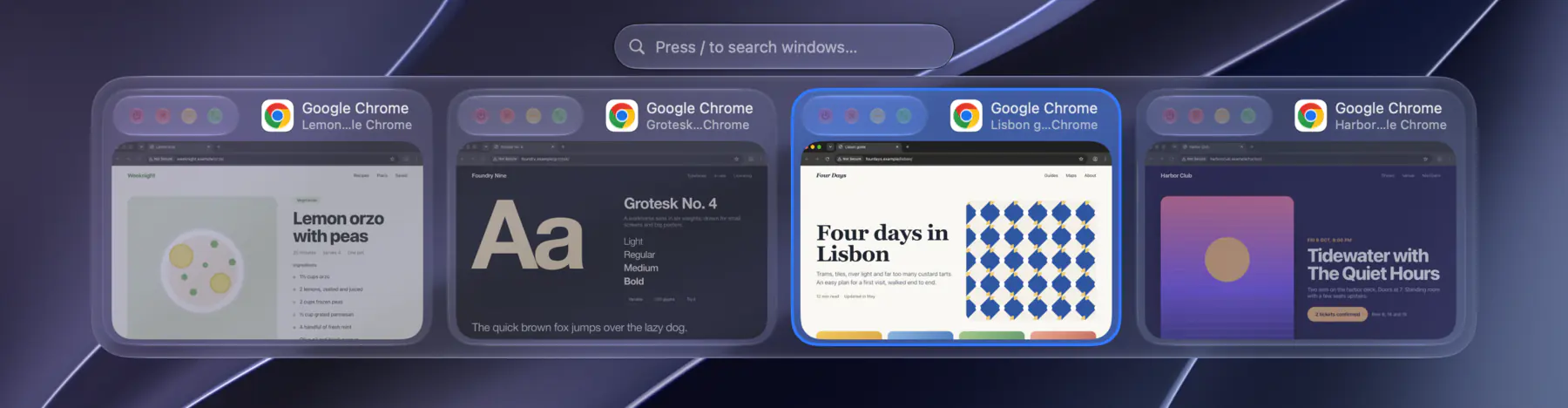
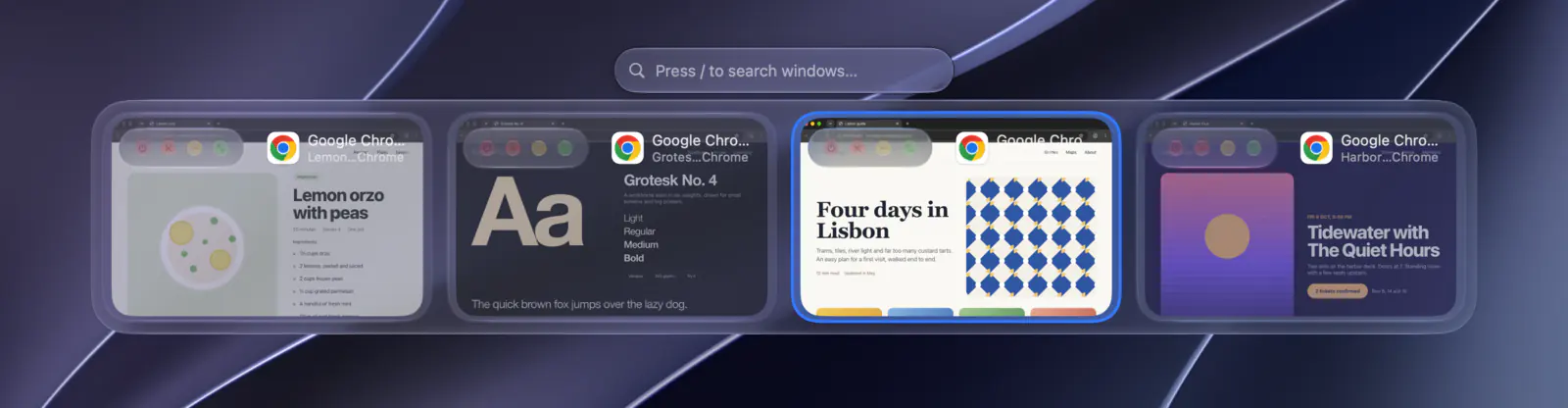
Hold ⌥ and press Tab to see every open window, not just every app. Press Tab again to move through them and release to switch. Type to search, or change the shortcut in Settings.
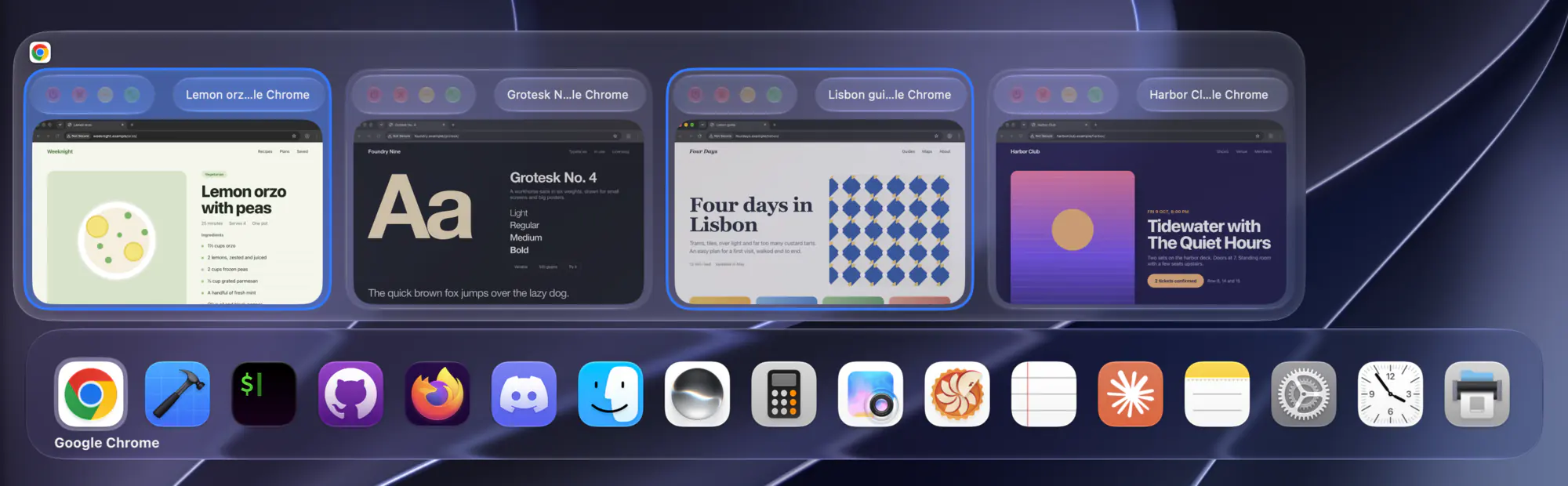
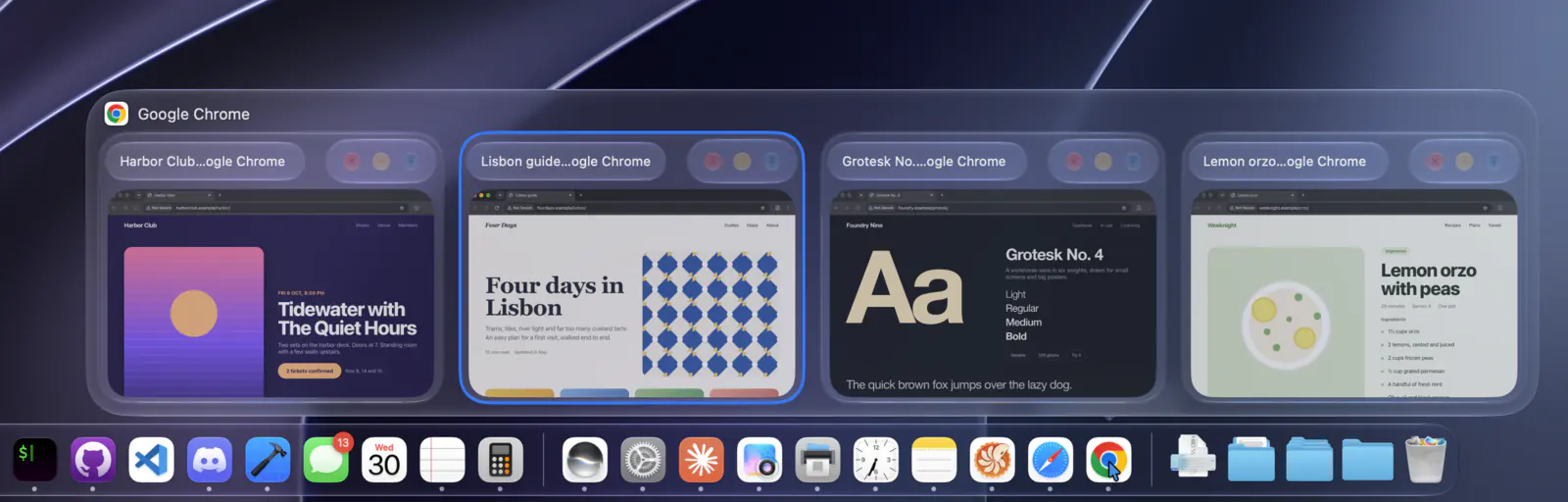
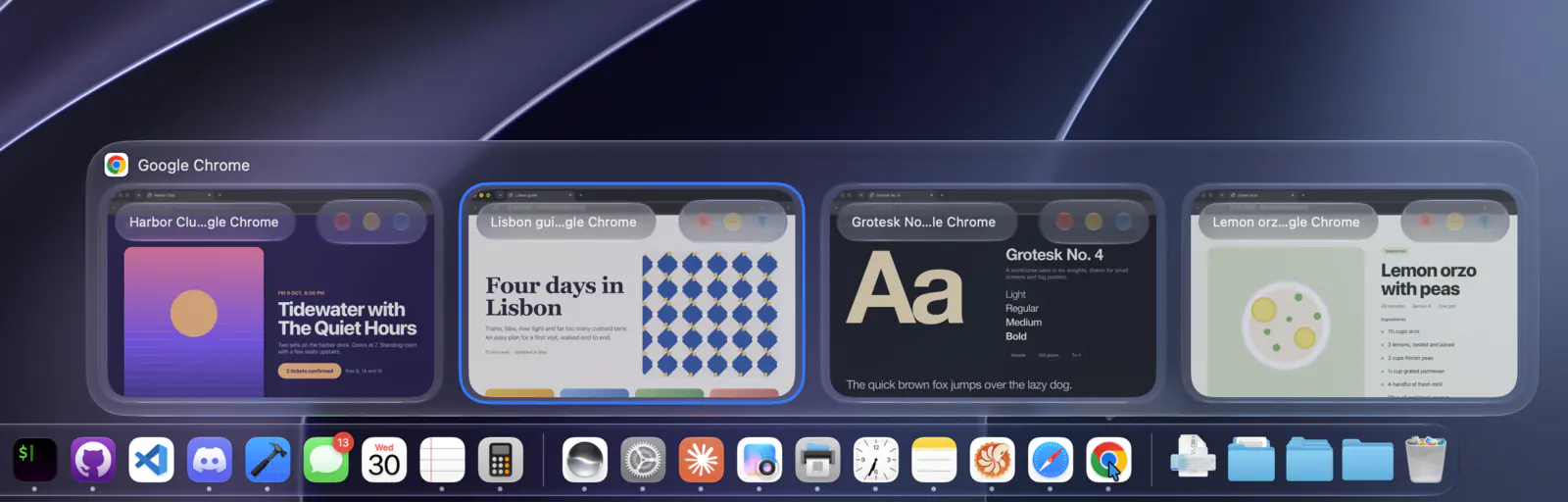
While you hold ⌘ and Tab, DockDoor shows the highlighted app's windows above the built-in app switcher, so you can pick a specific window.
Settings › Cmd+Tab
Each of these is optional and can be turned on or off in Settings.
Previews
More
Hover a folder in the Dock to see what's inside. Sort the list, open a file, or drag it straight into another app, without opening a Finder window.
Settings › Dock Previews
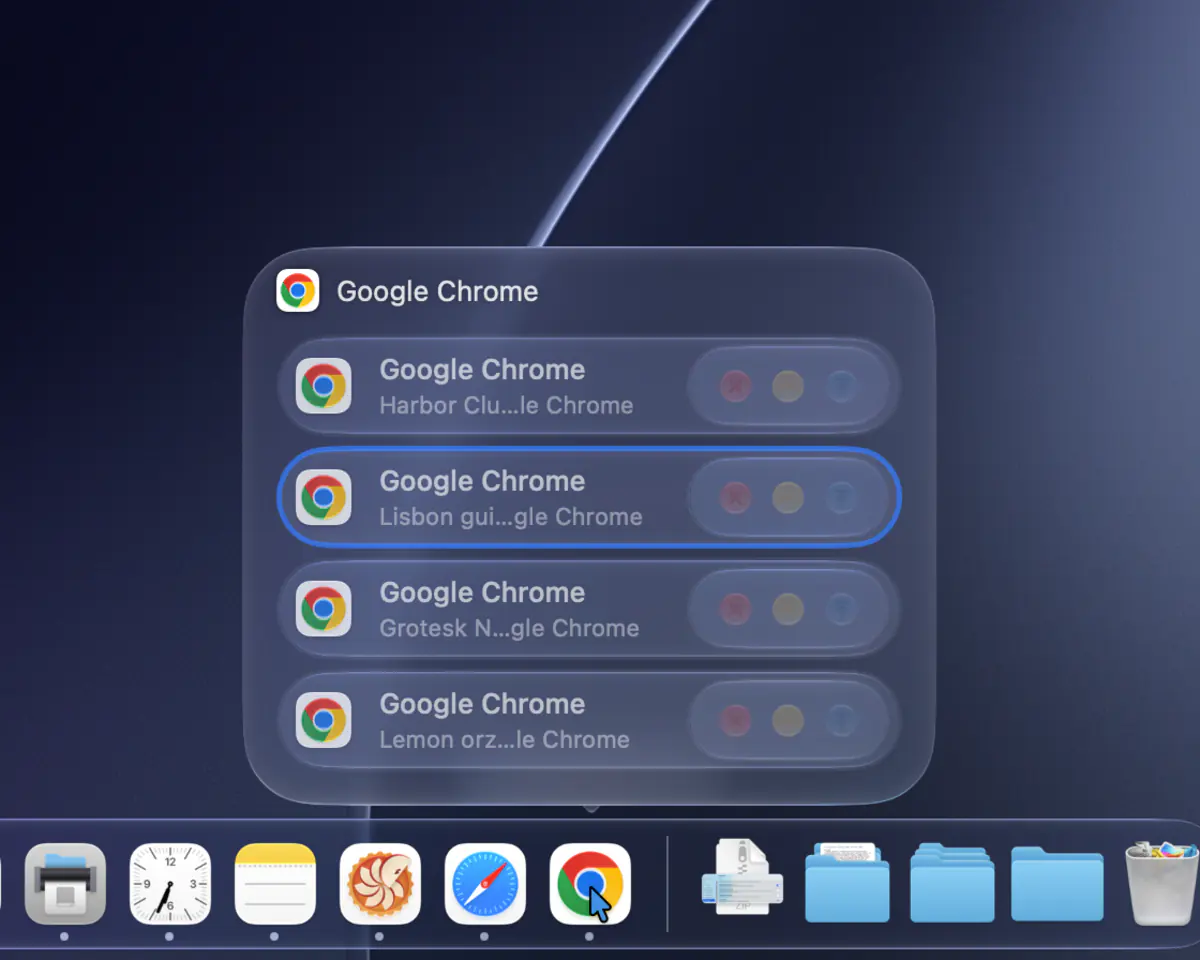
Show an app's windows as a list of titles instead of thumbnails. Choose how many windows it takes to switch to the list, or use it all the time.
Settings › Appearance
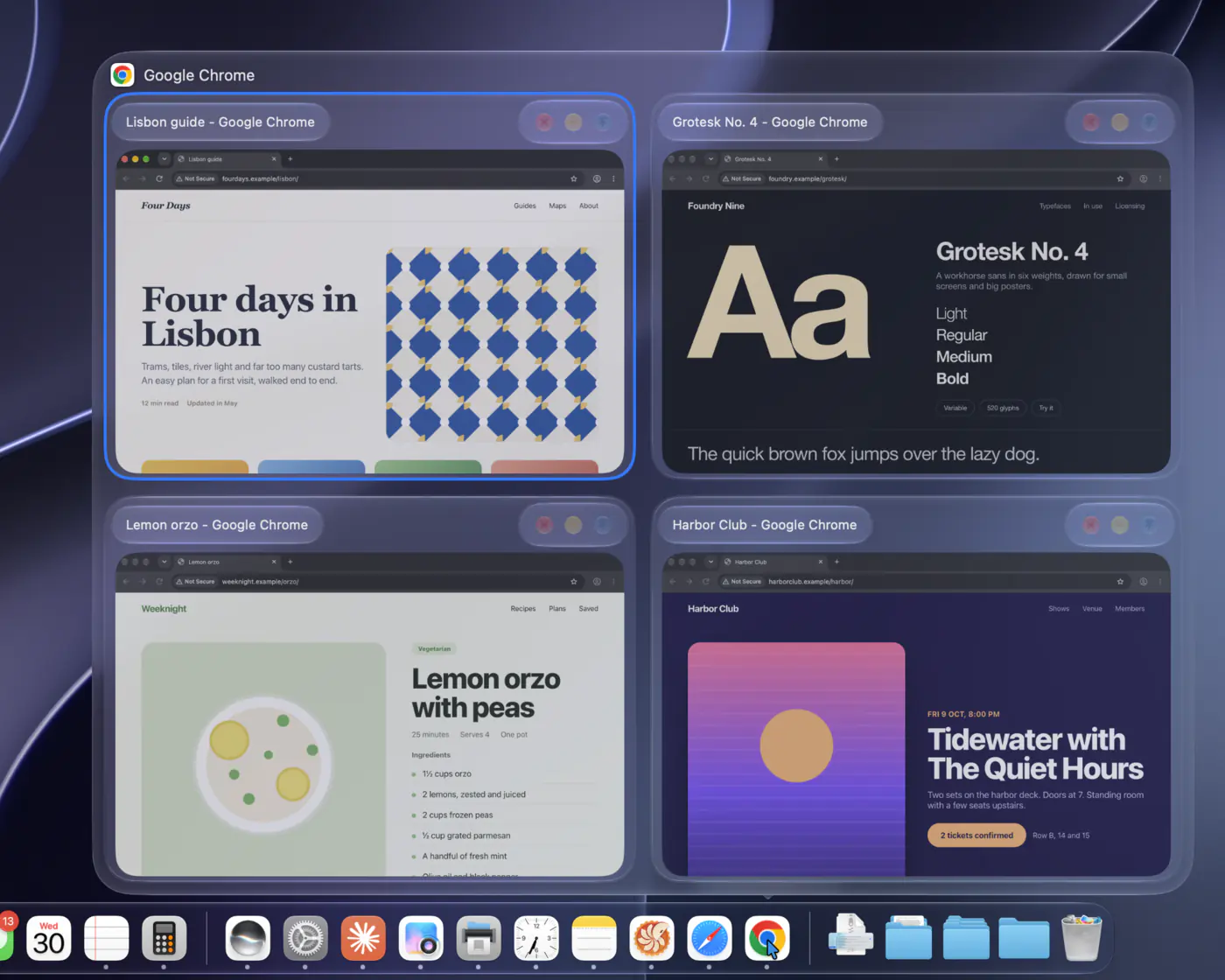
Make thumbnails bigger to tell similar windows apart. A thumbnail can also open a full-size preview when you hover it.
Settings › Appearance
Hover an app that's playing audio, like Spotify, Apple Music or a browser tab, to get a player instead of thumbnails. Pin it to your desktop, with synced lyrics for Spotify and Apple Music.
Settings › Widgets
Swipe two fingers toward the Dock on a preview to minimize that window, or away from it to maximize. You can also scroll on a Dock icon to show or hide an app, and shake a preview to minimize everything else.
Settings › Gestures & Keybinds
Hold ⌘ and right-click a Dock icon to quit the app, or add ⌥ to force quit it. You can also click the app you're in to minimize its windows, and lock the Dock to one display.
Settings › Dock Previews
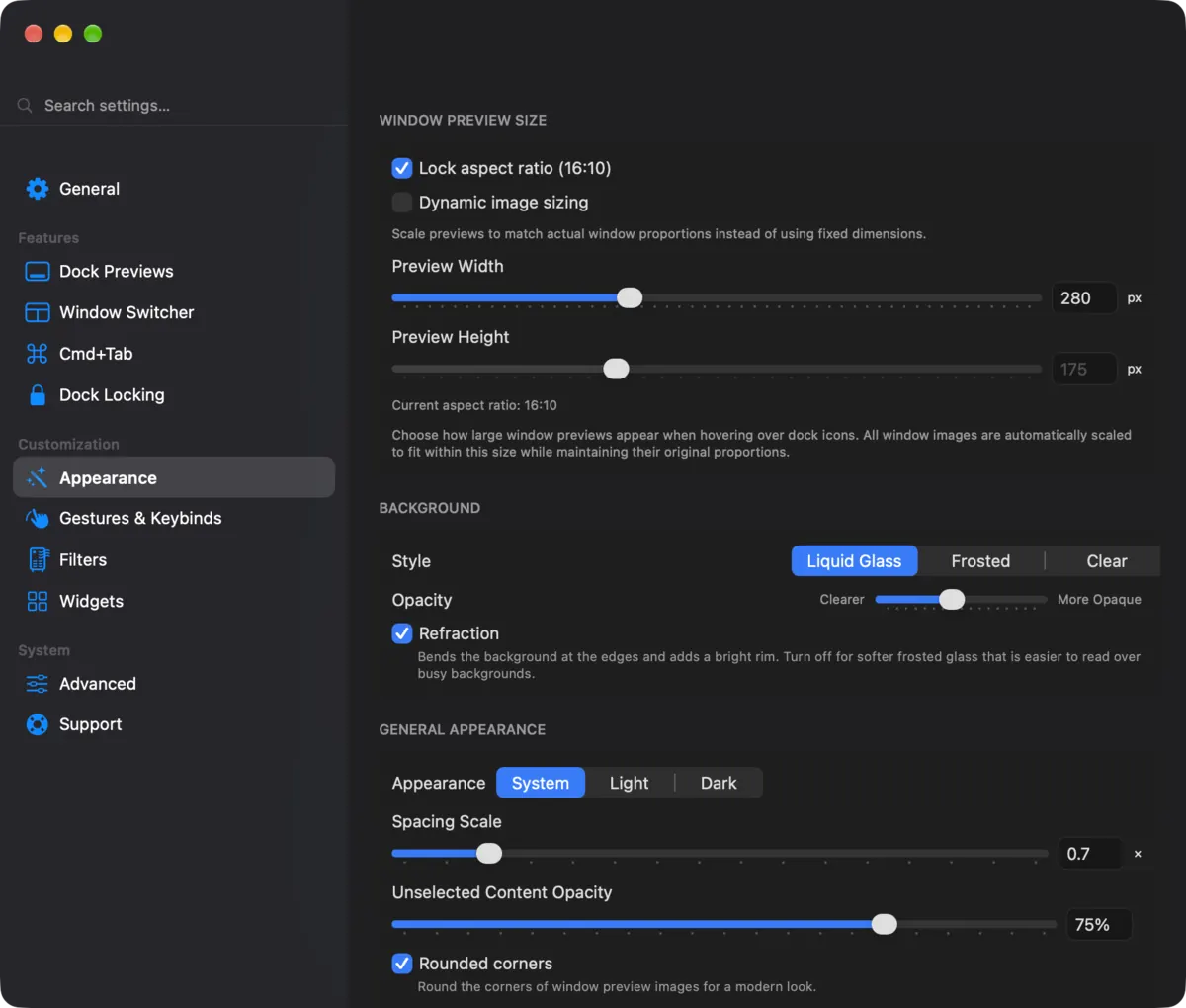
Choose Liquid Glass (macOS 26 and later), frosted or clear, and set the preview size, spacing, corners and where the window controls sit.
DockDoor has no servers to send anything to. There are no analytics, no usage tracking and no crash reporters. Debug logs are written locally and go nowhere unless you export them yourself.
The whole app is open source under GPL-3.0. You can read the code, build it yourself, or help translate it.
“It's free, open-source, and honestly, Apple should have bought this developer out by now.”
“In Windows, when you hover over an app on the taskbar, the operating system shows you the open windows for that app, a useful feature missing in macOS until now.”
“This is a great way to jump to a particular window without having to hunt it down with the mouse.”
“I wish I had found this app much earlier, because it would have saved me a lot of frustration in figuring out which of the 10 open windows in Safari has the tab I'm looking for.”
“If you want an alternative to AltTab that includes previews of your apps when you hover over their icon in the dock, try DockDoor.”
“I can see what's going on with the app much better, which helps my workflow.”
“It emphasizes ease of use and seamless integration with the macOS environment.”

Free for macOS 13 Ventura and later. Notarized by Apple, and it keeps itself up to date.
Only download DockDoor from dockdoor.net or GitHub.
DockDoor is written almost entirely by one developer, with fixes, features and translations from the open-source community. There are no investors and no ads. Donations pay for keeping it free and working on each new macOS.
macOS doesn't show window previews in the Dock on its own. With DockDoor installed, point at an app's icon in the Dock and all of its open windows appear as small pictures. Click the one you want to bring it to the front.
Command-Tab on a Mac switches between apps, not windows. DockDoor adds Option-Tab, which shows every open window so you can pick the exact one, like Alt+Tab on Windows. You can change the shortcut in Settings.
Yes. Download it, drag it to your Applications folder and open it. macOS asks you to allow Accessibility and Screen Recording, which DockDoor needs to find your windows and show their previews. After that, point at any app in the Dock.
Only from these places:
DockDoor needs Accessibility and Screen Recording permission to work. An app with that much access from an untrusted source is a real risk: a modified copy could record your screen, log your keystrokes or send your data somewhere. Re-uploaded and cracked copies of DockDoor with malware in them have already turned up on other sites. There's no legitimate free version of DockDoor Pro.
Yes. Every feature is free, with no trial, no subscription and no paywall. It's funded by donations and by people who buy DockDoor Pro, a separate app.
No, they're separate apps. DockDoor Free adds previews, Alt+Tab, gestures and keyboard controls to the built-in macOS Dock. DockDoor Pro replaces the Dock with its own, which has previews, profiles, widgets, pinned content and much more customization.
If Pro is replacing your Dock you usually don't need Free as well. Pro is a $20 one-time purchase at pro.dockdoor.net.
Any Mac on macOS 13 Ventura or later, Apple silicon or Intel. Liquid Glass styling is available on macOS 26 and later.
It shouldn't. DockDoor is a native app that runs from the menu bar and only captures window thumbnails when a preview or the switcher needs them.
Open DockDoor's settings and go to Gestures & Keybinds. From there you can:
Almost every standard Mac app works. A few apps built with unusual UI frameworks may show fewer windows or skip some actions.
These only change Dock previews. The window switcher stays the same.
Logs stay on your Mac. Nothing is sent unless you share the file yourself.
Report bugs or send code on GitHub, translate it on Crowdin, or support development.
DockDoor is an independent, open-source project that stays free because people chip in. If it earns a spot on your Mac, even $3 helps.